Version: 4.0.0

Option Box

note

Option Box Blocks are available for Option Box object type only.

Block Name
Block
Description
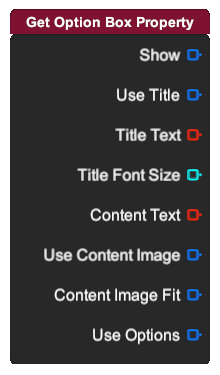
Get Option Box Property

Get different option box property.

  • Show: Boolean value specifying visibility of the option box.
  • Use Title: Boolean value specifying whether the title is used.
  • Title Text: String value specifying the title text of the option box.
  • Title Font Size: Integer value specifying the font size of the title.
  • Content Text: String value specifying the content text of the option box.
  • Use Content Image: Boolean value specifying whether the content image is used.
  • Content Image Fit: Boolean value specifying the fit of the content image.
  • Use Options: Boolean value specifying whether the options are used.
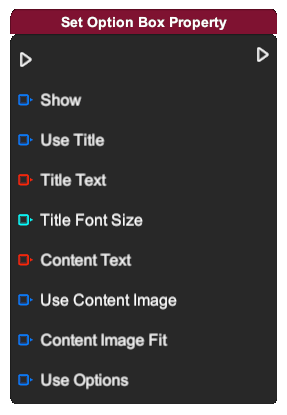
Set Option Box Property

Set different option box property.

  • Show: Boolean value specifying visibility of the option box.
  • Use Title: Boolean value specifying whether the title is used.
  • Title Text: String value specifying the title text of the option box.
  • Title Font Size: Integer value specifying the font size of the title.
  • Content Text: String value specifying the content text of the option box.
  • Use Content Image: Boolean value specifying whether the content image is used.
  • Content Image Fit: Boolean value specifying the fit of the content image.
  • Use Options: Boolean value specifying whether the options are used.
Set Content Image
Set image in the content of the option box.
  • Image: Image asset specifying content image of the option box.