XR Driver Configuration
XRCC uses the SteamVR as OpenXR runtime when running the XRCC XR mode. For head-mounted display (HMD) VR systems and other XR systems using OpenXR devices, it is necessary to configure the XR drivers before running the XRCC XR.
For All VR Headsets
-
Install SteamVR
-
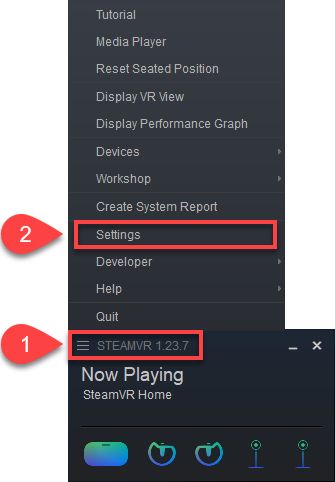
Open SteamVR Settings
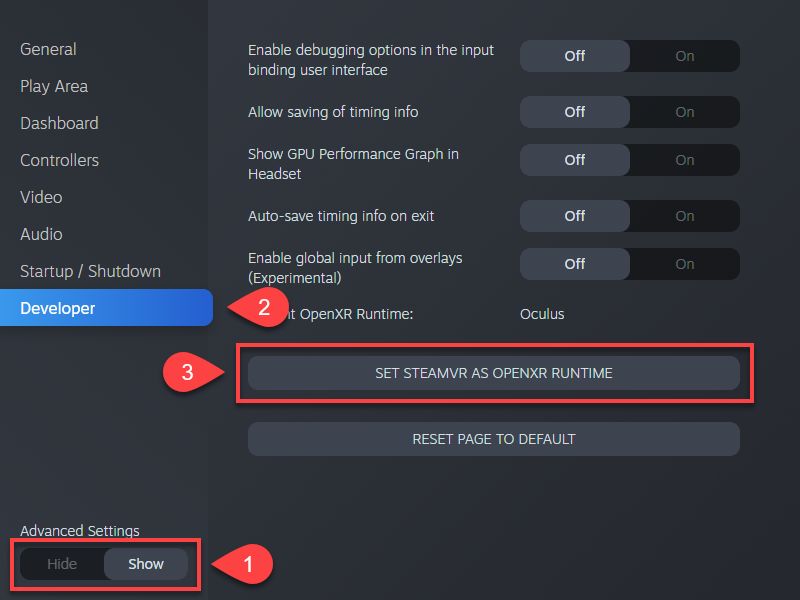
- Turn on Developer Settings and set SteamVR as Current OpenXR Runtime
Oculus / Meta Quest
-
Install Oculus Software
-
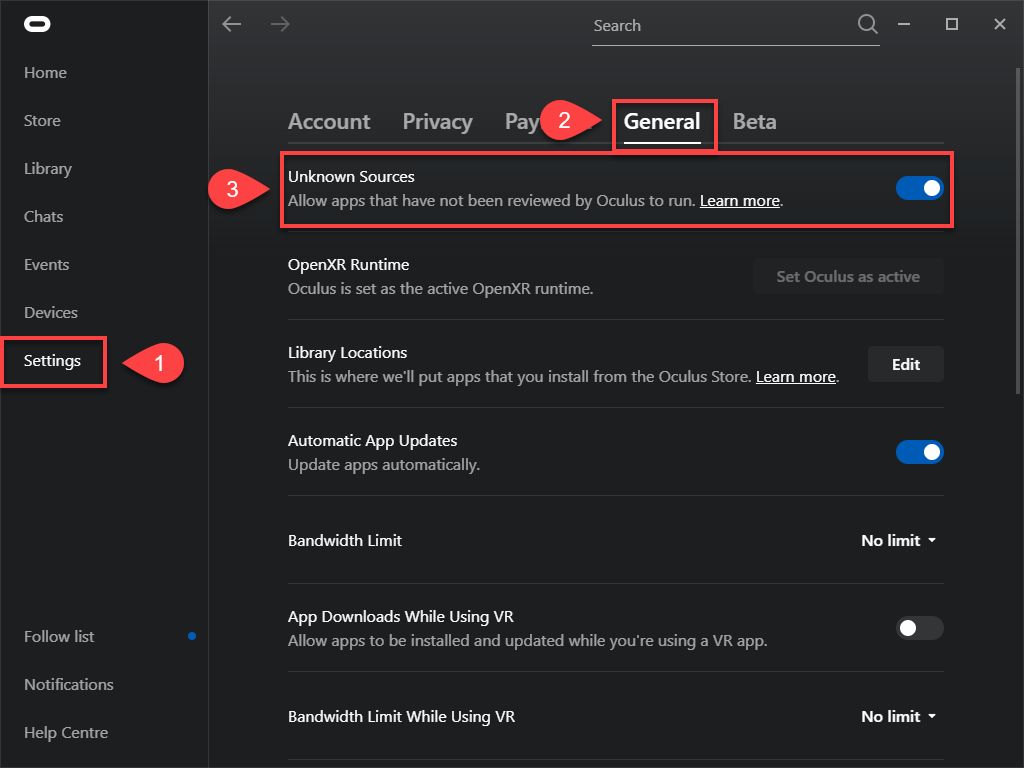
Open Oculus Settings and allow content from unknown sources
Windows Mixed Reality Headset
- After connecting the headset, open SteamVR and install Windows Mixed Reality driver following the pop-up prompt.
