XRCC Connections
Manage API keys and tokens for external services used by XRCC. Store and organize credentials for Poe AI and Wit.ai integrations securely.
Poe Key Management
Store and manage your Poe API keys for AI-powered features. Add, search, and remove keys as needed, with optional password encryption for enhanced security.
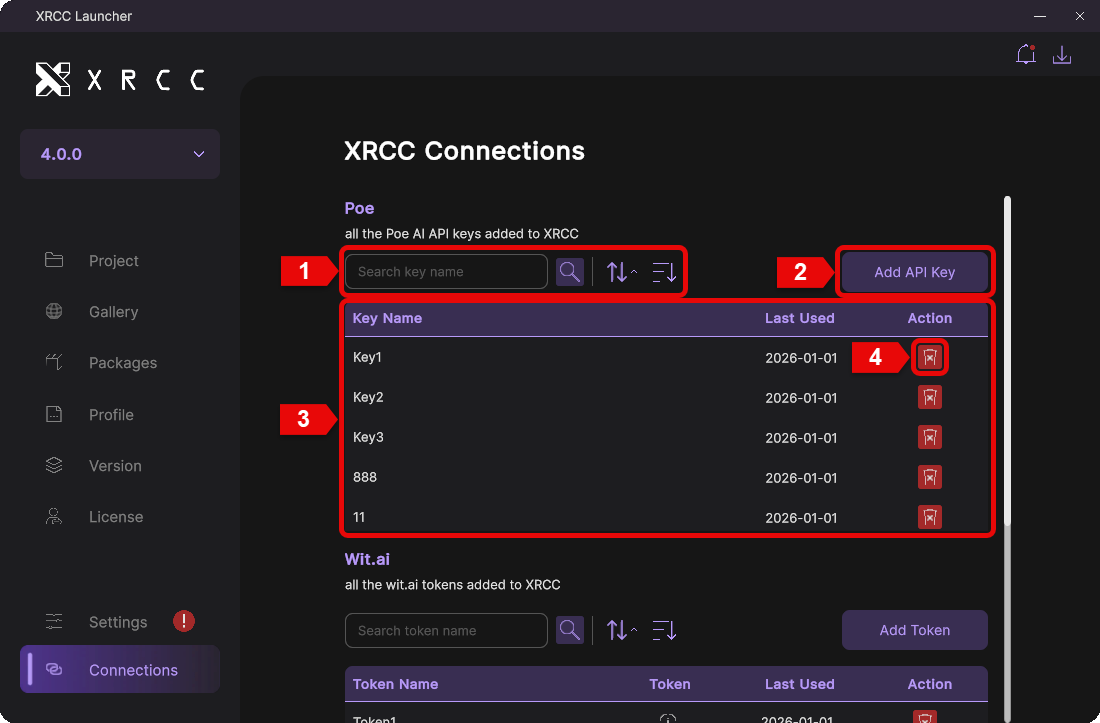
| Number | Description |
|---|---|
| 1 | Search for stored Poe keys by name |
| 2 | Click the "Add API Key" button to add a new Poe API key |
| 3 | Displays all stored Poe keys |
| 4 | Click the delete button to remove a Poe key |
Add New Poe API Key
Create a new Poe API key entry with a custom name and optional password encryption for added security.
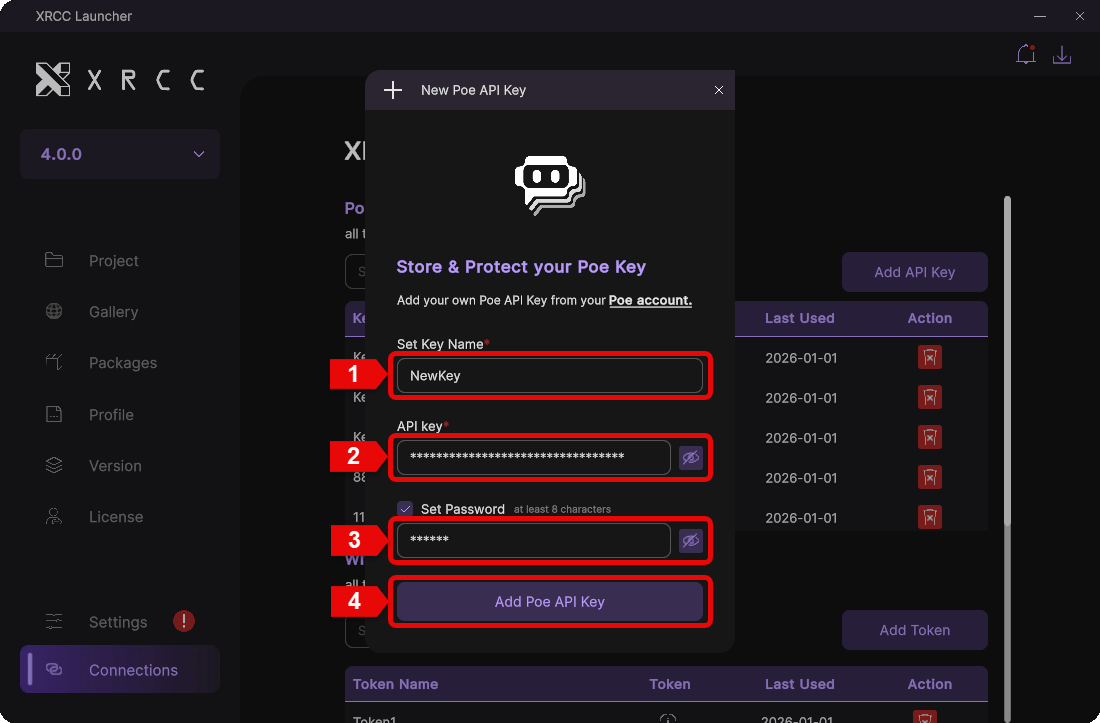
| Number | Description |
|---|---|
| 1 | Enter a custom name to identify this key |
| 2 | Enter your Poe API key |
| 3 | Enter a password to encrypt the key (optional) |
| 4 | Click the "Add Poe API Key" button to save the key |
Wit.ai Token Management
Store and manage your Wit.ai tokens for natural language processing features. Add, search, and remove tokens as needed.
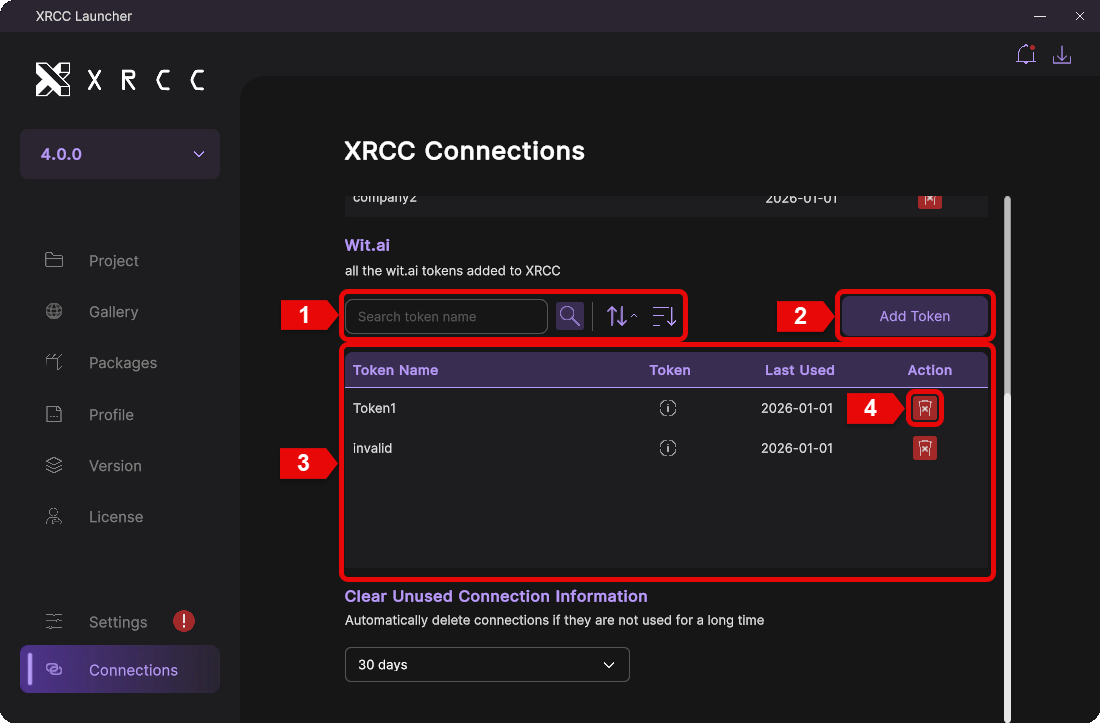
| Number | Description |
|---|---|
| 1 | Search for stored Wit.ai tokens by name |
| 2 | Click the "Add API Key" button to add a new Wit.ai token |
| 3 | Displays all stored Wit.ai tokens |
| 4 | Click the delete button to remove a Wit.ai token |
Add New Wit.ai Token
Create a new Wit.ai token entry with a custom name for easy identification.
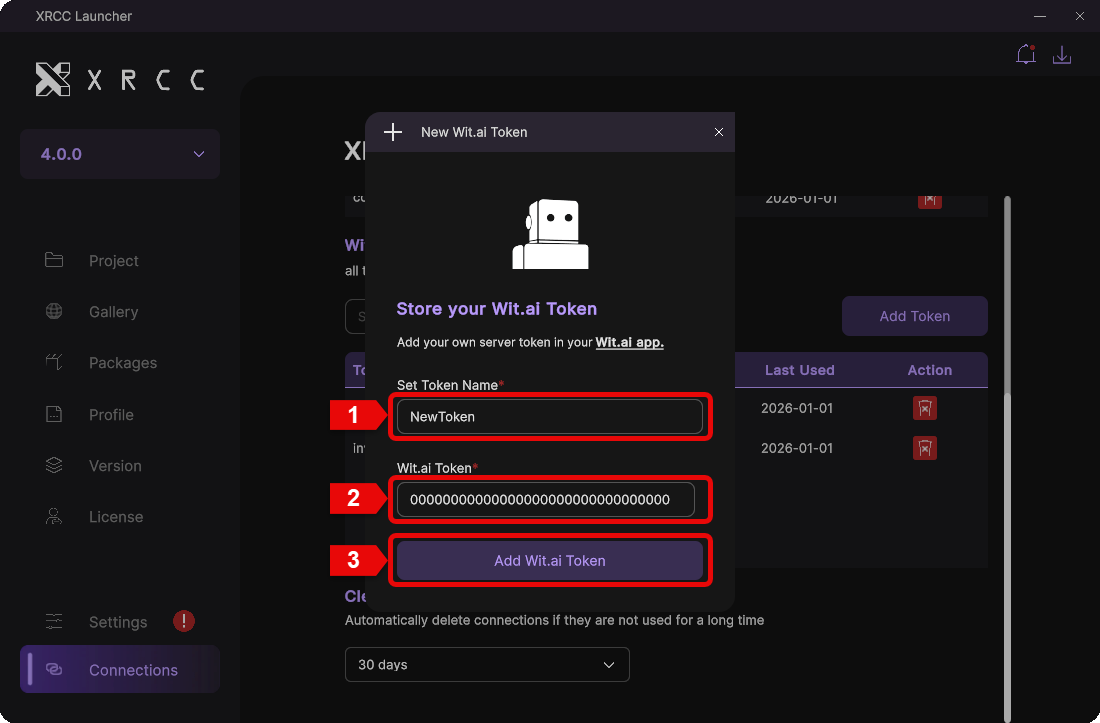
| Number | Description |
|---|---|
| 1 | Enter a custom name to identify this token |
| 2 | Enter your Wit.ai token |
| 3 | Click the "Add Wit.ai Token" button to save the token |
Clear Unused Connection Information
Automatically remove unused connection information after a specified period to keep your data clean and secure.
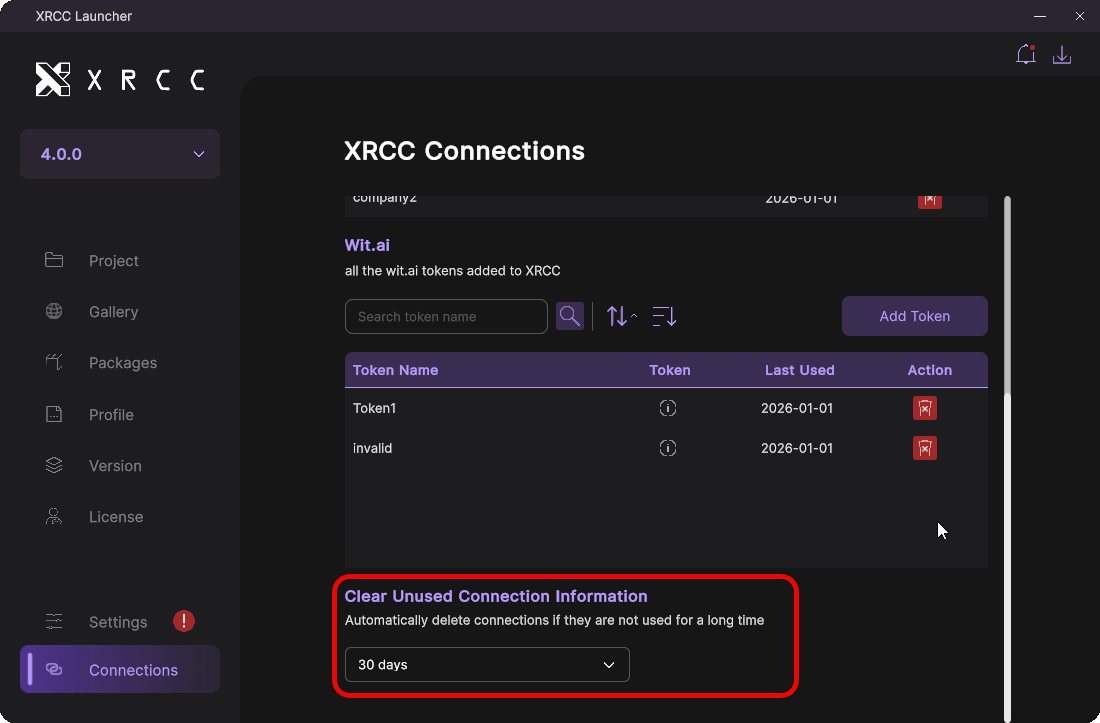
Unused connection information will be automatically removed after a set period. Configure the retention time using the dropdown menu.