Content Library
Browse and manage XRCC content from a central library. Use this interface to switch between downloaded and online projects, search for content, and access project details.
Content Library
The content library provides a unified view of available projects, both local and online. Search, filter, and switch tabs to find the content you need.
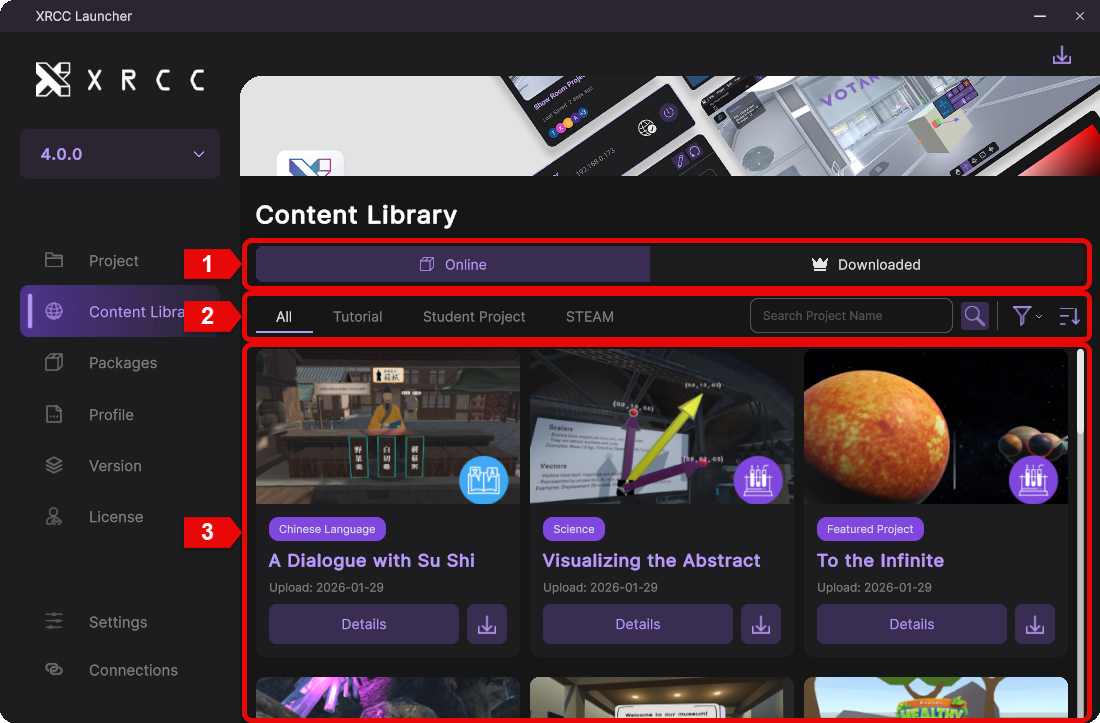
| Number | Description |
|---|---|
| 1 | Switch between downloaded projects and online projects |
| 2 | Search online projects by name or category, and adjust sorting options |
| 3 | Displays the filtered list of online projects |
Category Filtering
Use category filters to narrow online project results. Apply categories to focus on specific genres or project types.
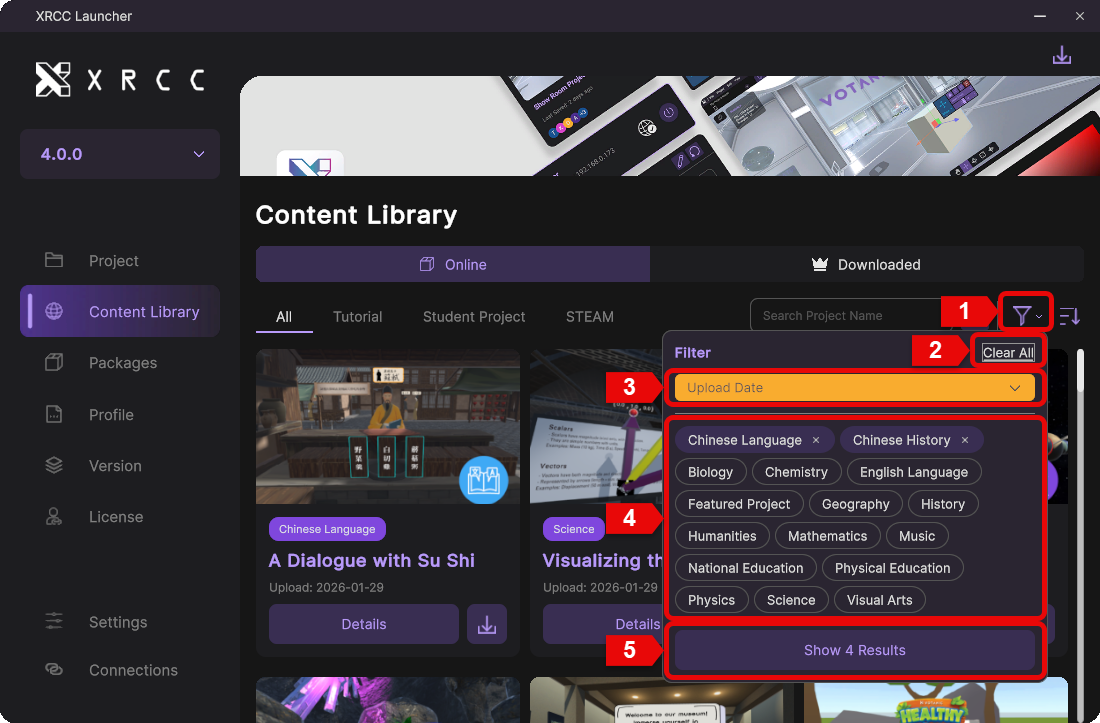
| Number | Description |
|---|---|
| 1 | Open the category filter panel |
| 2 | Clear all selected categories |
| 3 | Choose the sort order for filtered results |
| 4 | List available project categories |
| 5 | Apply selected filters and display the result count |
Online Project Details
View detailed information for an online project, including media, descriptions, and download options.
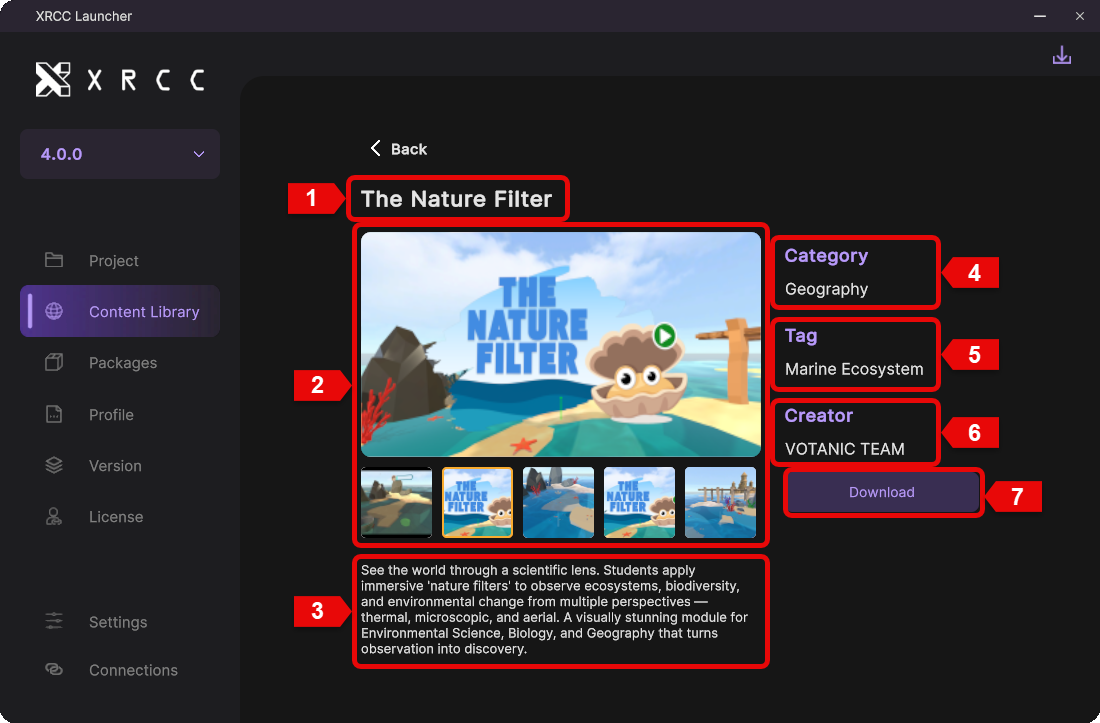
| Number | Description |
|---|---|
| 1 | Project name |
| 2 | Media gallery showing videos and images |
| 3 | Project description |
| 4 | Project category |
| 5 | Project tags |
| 6 | Project creator |
| 7 | Download the project |
Download Project List
Review downloaded projects, access key details, and manage project actions in one place.
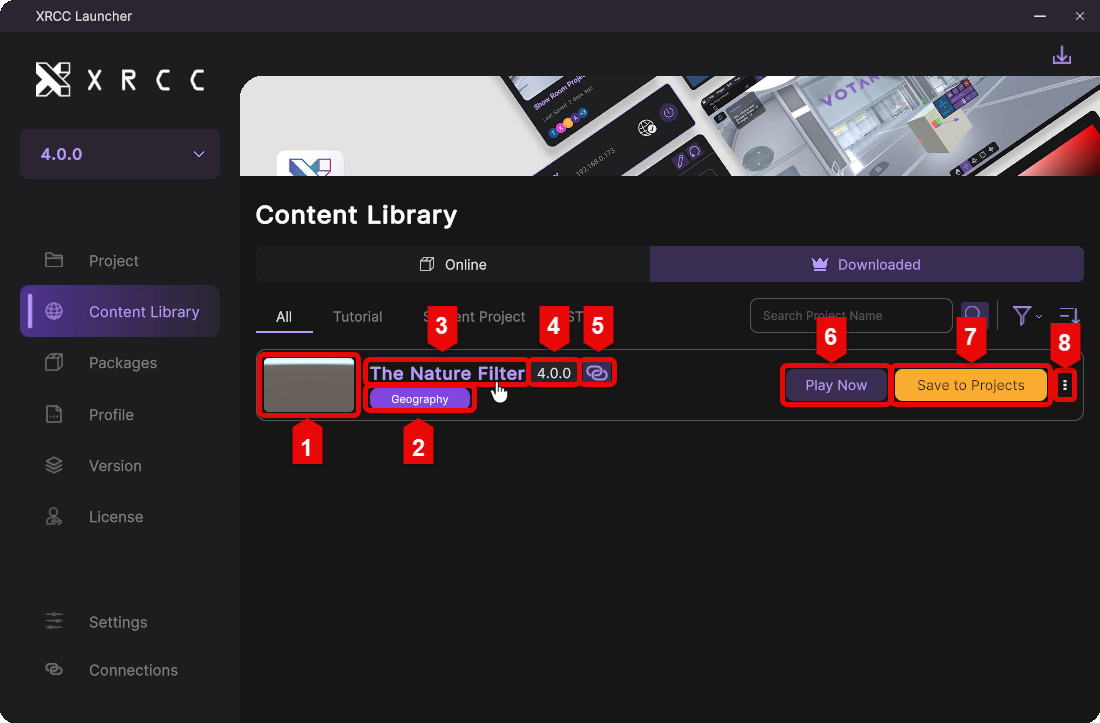
| Number | Description |
|---|---|
| 1 | Project thumbnail |
| 2 | Project category |
| 3 | Project name |
| 4 | Project version |
| 5 | External connection label |
| 6 | Play the project with the default profile |
| 7 | Save the project for future editing |
| 8 | Open the action menu to delete the project |