XRCC Project
Manage your XRCC projects from a centralized interface. Select versions and profiles, import projects, and perform common project operations all from the launcher.
Select XRCC Version
Choose which installed XRCC version to use when opening your project. Different versions may support different features or compatibility requirements.
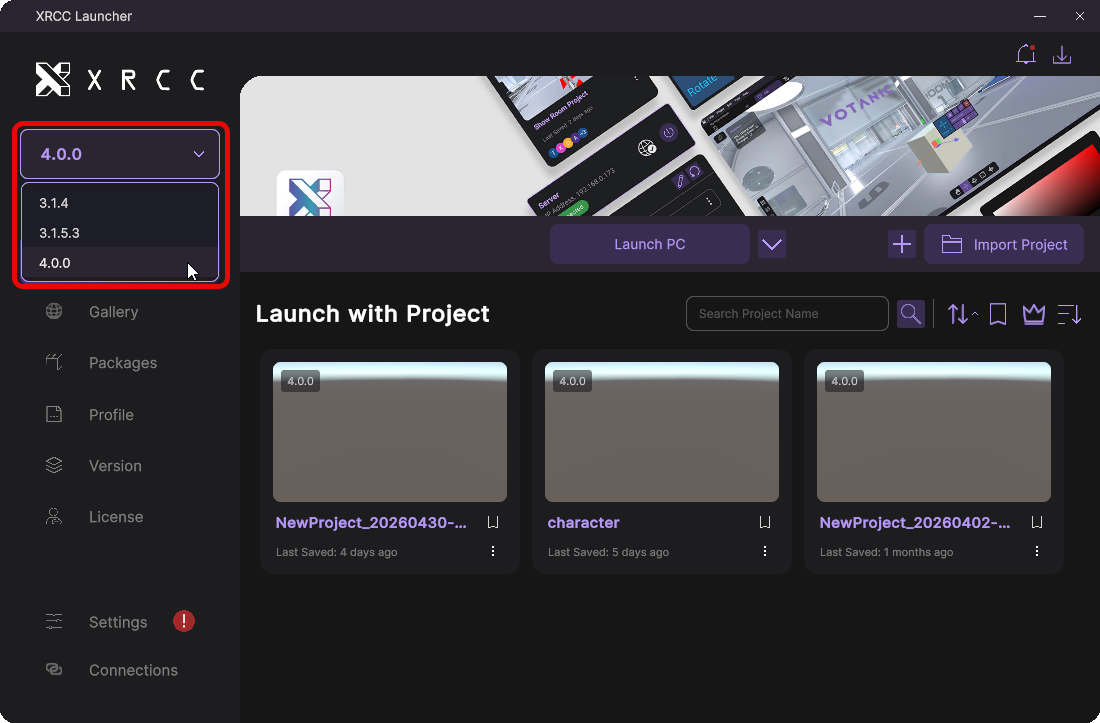
Choose the installed XRCC version before opening a project.
Select Profile
Select a platform profile that defines the launch configuration, including platform mode and custom settings.
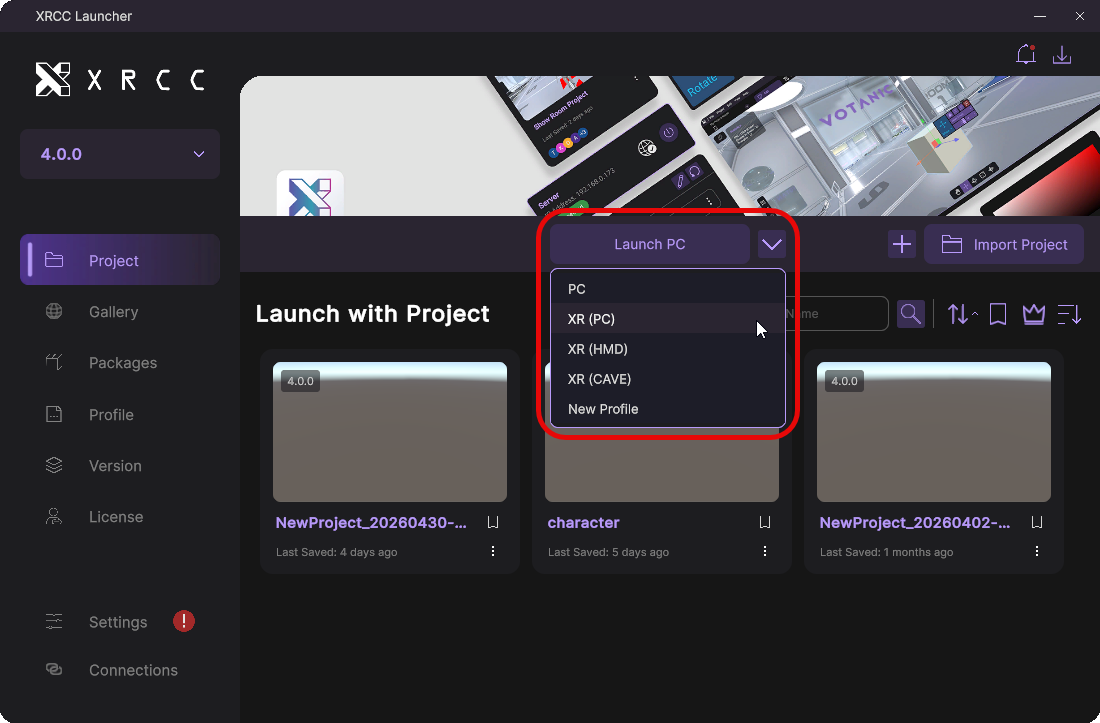
Choose a profile to open a project.
Import Project
Bring existing XRCC projects into the launcher by importing them from your local storage.
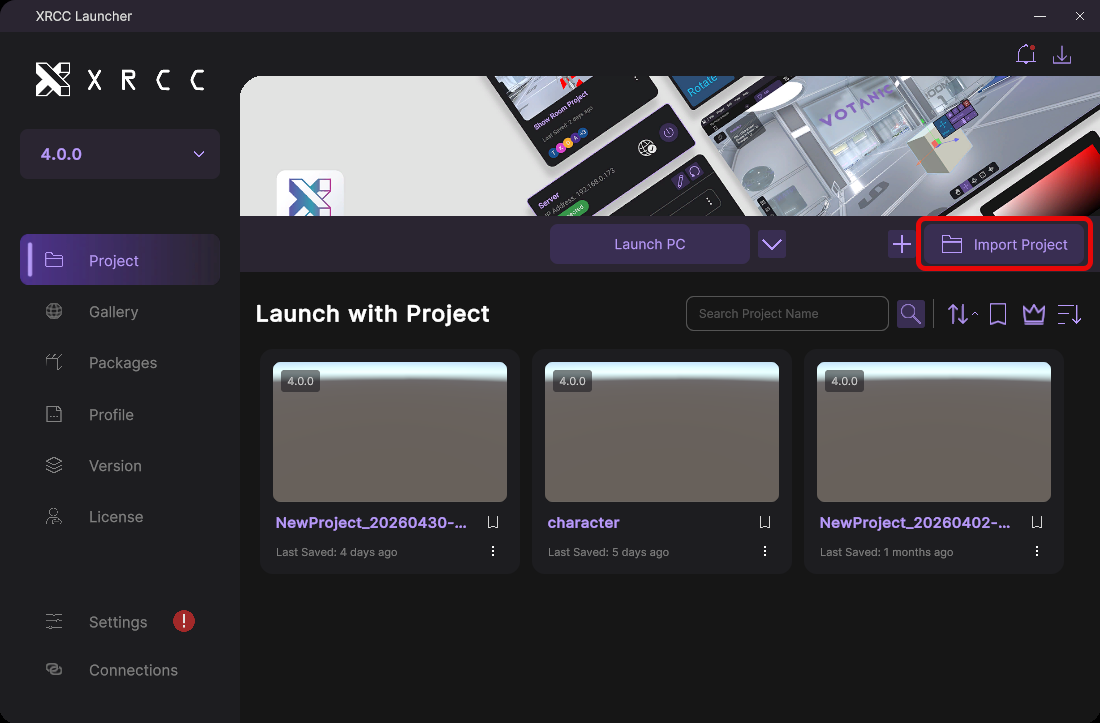
Click the "Import Project" button to import a project from local storage.
Search Project
Quickly find projects using search filters, sorting options, and bookmarks. Organize your project list to access what you need efficiently.
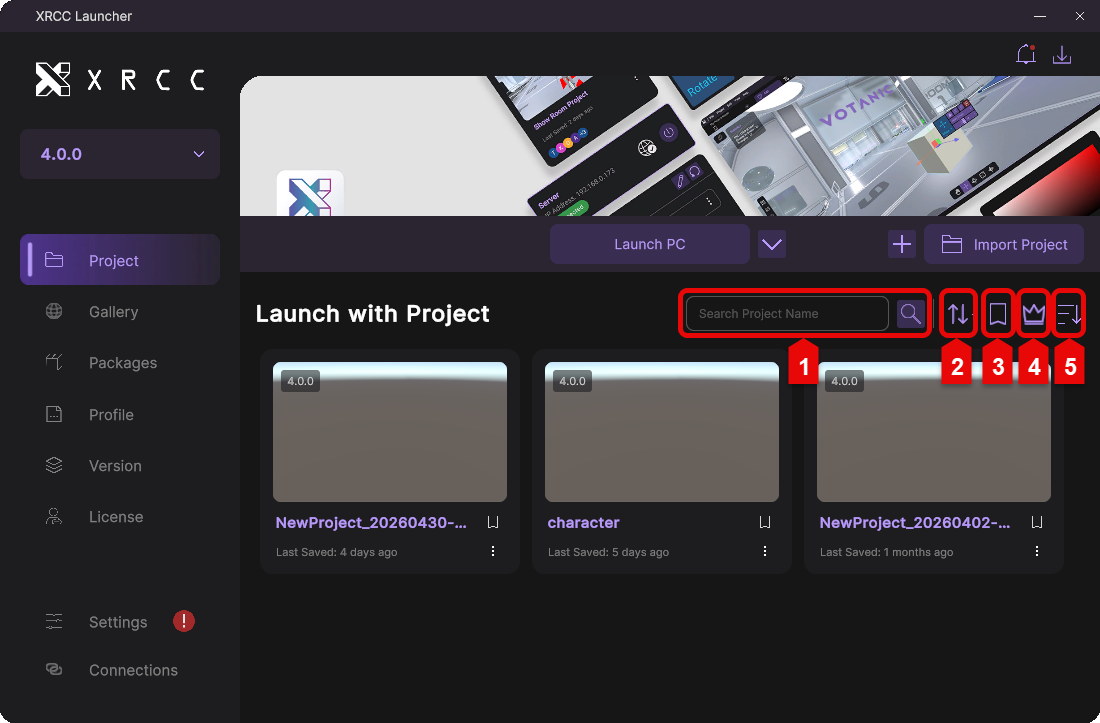
| Number | Description |
|---|---|
| 1 | Enter a project name to search for projects |
| 2 | Select a sorting option to organize project results |
| 3 | Filter to show only bookmarked projects |
| 4 | Filter to show only premium projects |
| 5 | Toggle between descending and ascending order |
Project Management
Perform common project operations such as duplicating, renaming, or deleting projects directly from the launcher.
Click the "More" button to display the project operation menu.
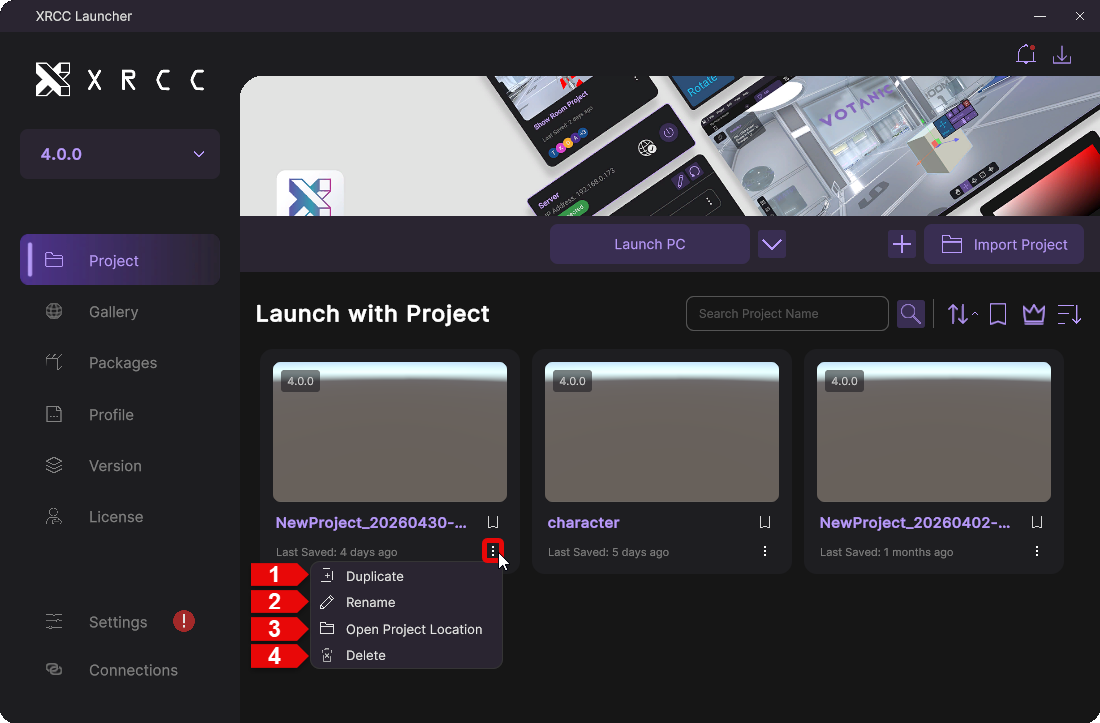
| Number | Description |
|---|---|
| 1 | Duplicate the project to create a copy |
| 2 | Rename the project |
| 3 | Open the project's directory in file explorer |
| 4 | Delete the project from your system |