Launcher Update
This section explains how XRCC Launcher notifies you of available updates and how to download the latest version.
Update Notification
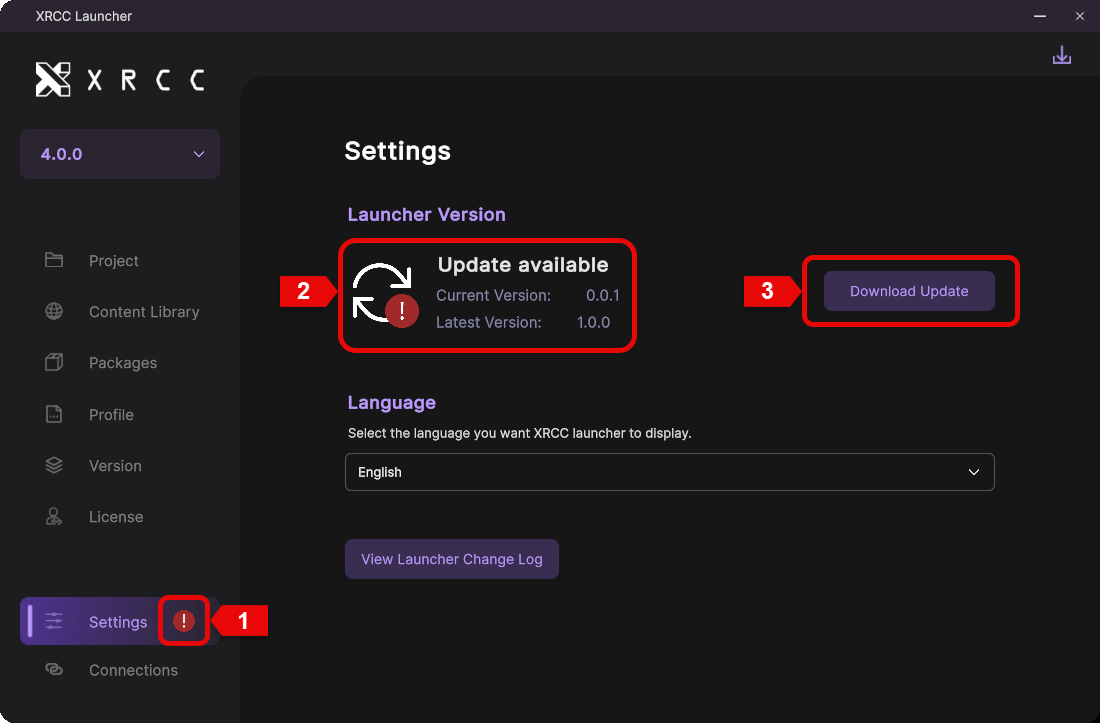
When a newer launcher version is available, the update notification shows the current and latest version and prompts you to download the update.
| Number | Description |
|---|---|
| 1 | A red info icon appears on the Settings tab when an update is available |
| 2 | Displays the current launcher version and the latest available version |
| 3 | Click the download button to begin the update process |
Latest Version vs Update Available
Compare the installed launcher version with the latest available release to decide whether to update.
| Latest Version | Update Available |
|---|---|
 |  |
Install New Version
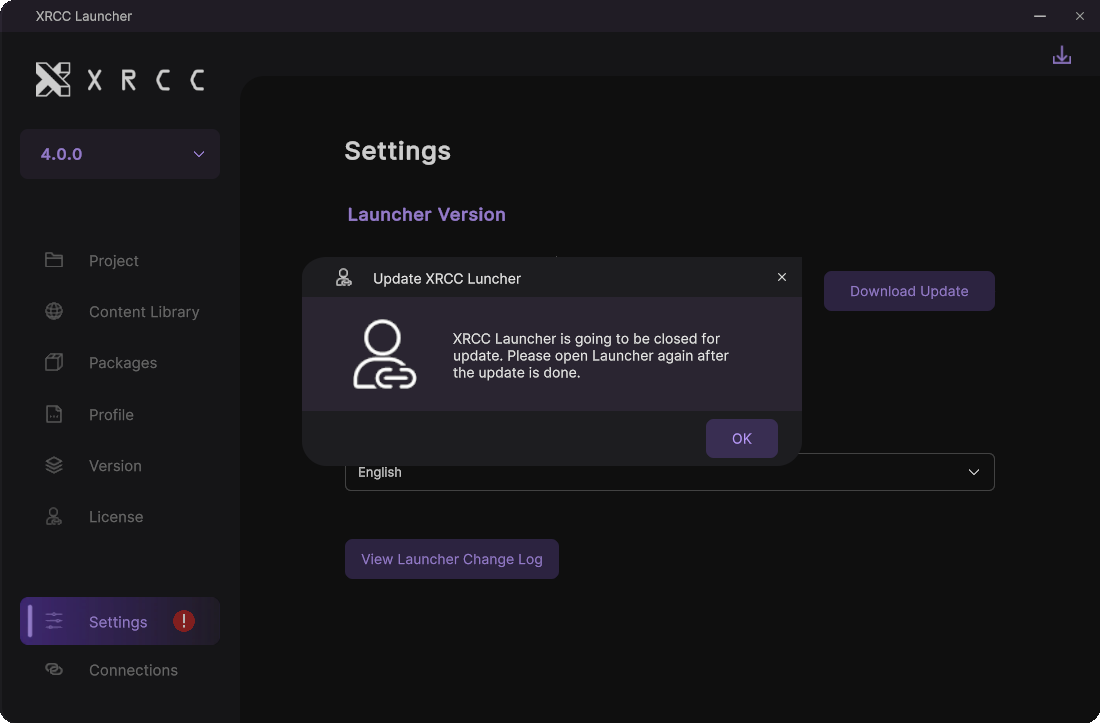
After the download completes, the launcher must close before installing the new version. Click OK in the dialog to proceed with installation.
note
After installation finishes, reopen the launcher manually.