License
Licenses can be activated and viewed in the XRCC Launcher.
License Types
XRCC offers two types of licenses depending on your development needs. Each license type enables specific functionality within the XRCC platform.
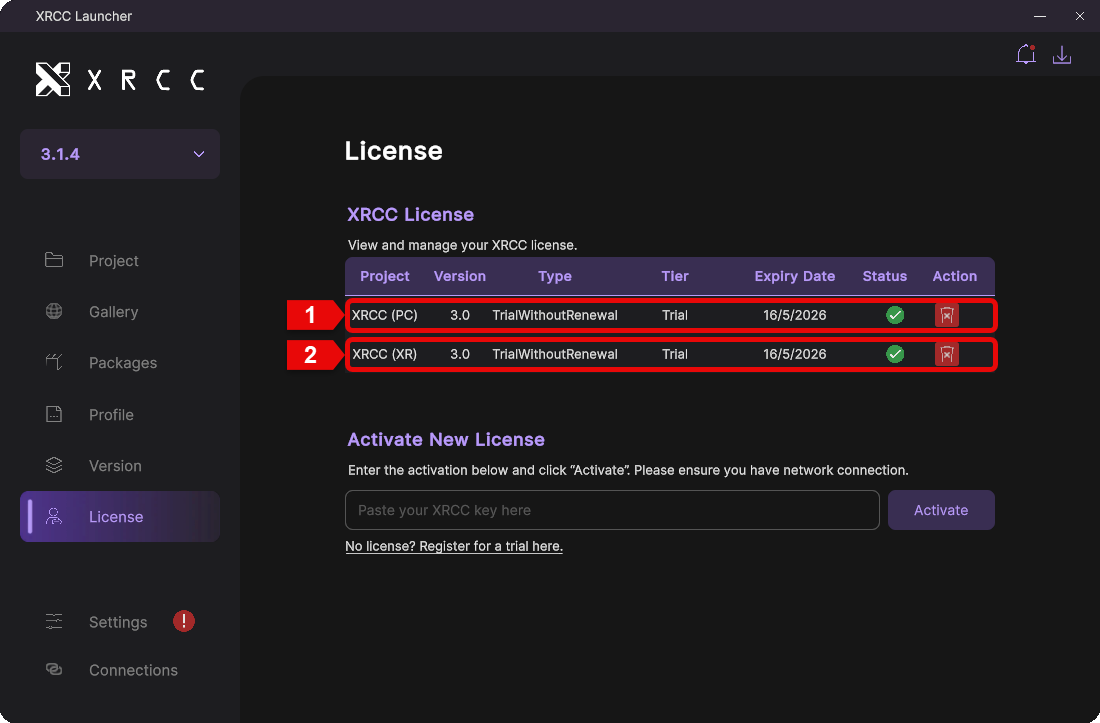
| Number | Name | Description |
|---|---|---|
| 1 | XRCC (PC) License | License for PC Mode development and deployment |
| 2 | XRCC (XR) License | License for XR Mode development and deployment |
License Information
The license information panel displays all details about your active licenses. Use this section to monitor license status, expiration dates, and manage your licenses.
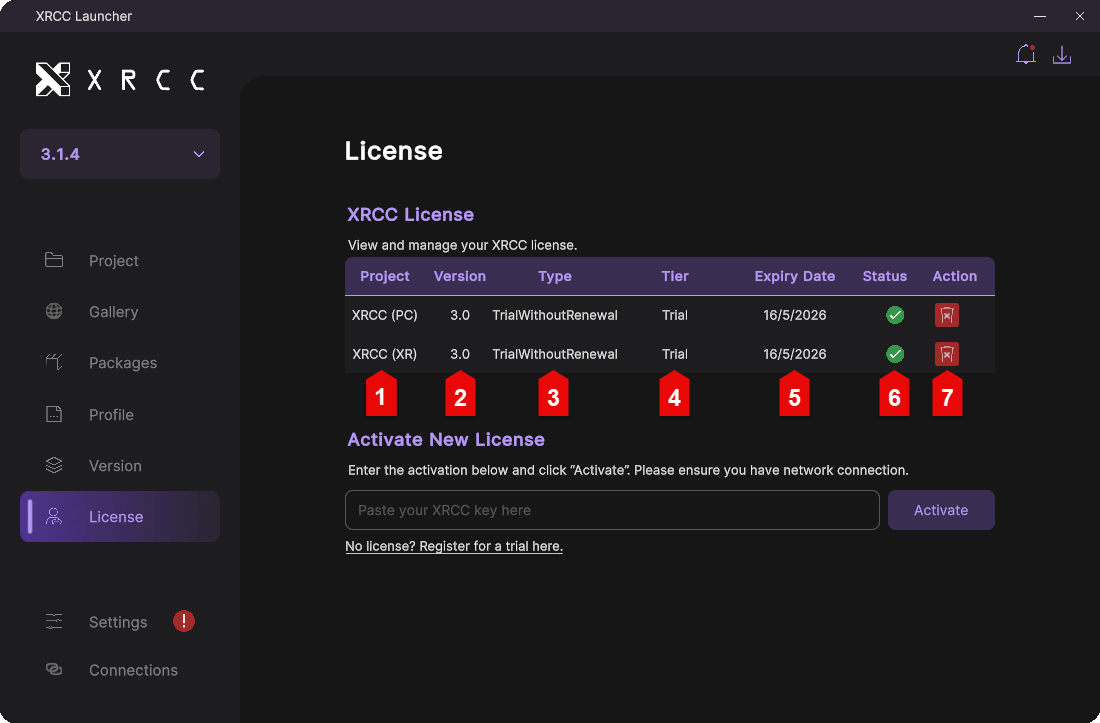
| Number | Name | Description |
|---|---|---|
| 1 | Project | Displays the license name |
| 2 | Version | Displays the version of the license |
| 3 | Type | Displays the type of license (PC or XR) |
| 4 | Tier | Displays the tier level of the license |
| 5 | Expiry Date | Displays when the license expires |
| 6 | Status | Indicates whether the license is valid or invalid |
| 7 | Action | Delete the license by clicking the delete button |
How to Activate a License
Follow these steps to activate a new license in the XRCC Launcher. You can activate either a trial license or a full license using a license key.
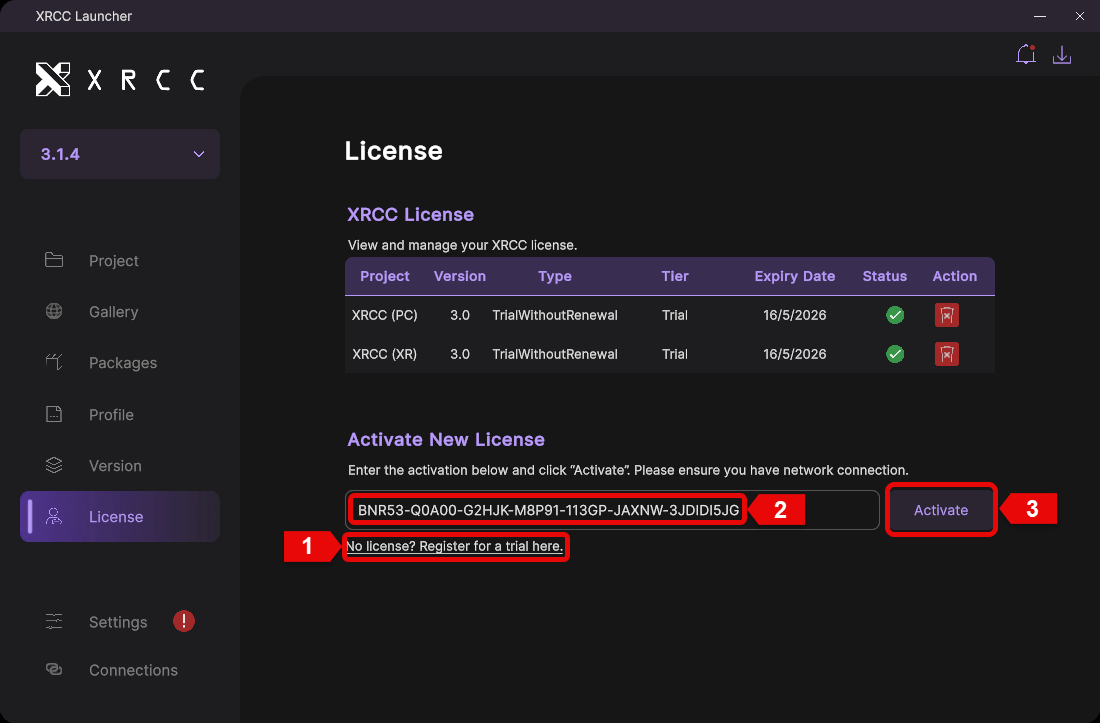
| Step | Description |
|---|---|
| 1 | Click here to register for a trial license if you don't have one |
| 2 | Enter your license key in the input field |
| 3 | Click the "Activate" button to activate the license |