Settings
XRCC Launcher Settings
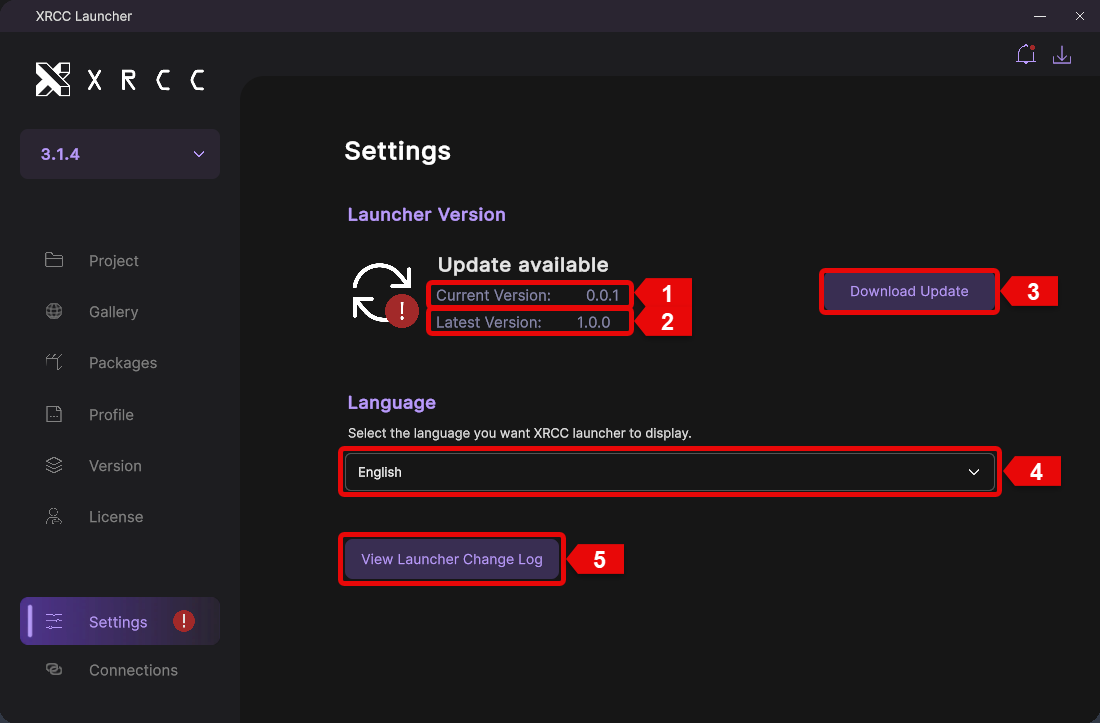
Configure your XRCC Launcher preferences, manage updates, and customize your experience. The settings panel provides access to version information, language options, and update management.
| Number | Description |
|---|---|
| 1 | Displays the currently installed launcher version |
| 2 | Displays the latest available launcher version |
| 3 | Click the "Download Update" button to update the launcher to the latest version |
| 4 | Select your preferred language from the language dropdown menu |
| 5 | Click "View Launcher Change Log" to see the latest updates and improvements |