XRCC Version Management
Manage multiple XRCC versions on your system, allowing you to install, import, and switch between different versions as needed for your projects.
Version Management
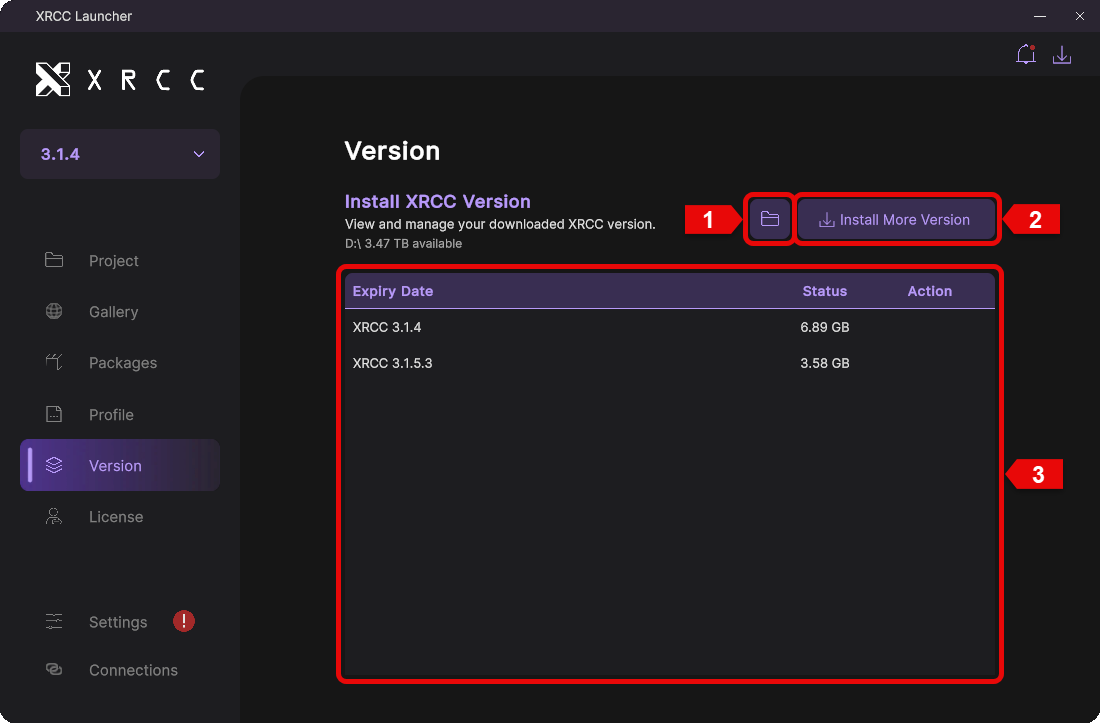
The version management panel lets you view all installed XRCC versions, import versions from local storage, and download additional versions online.
| Number | Description |
|---|---|
| 1 | Click this button to import an XRCC version from local storage |
| 2 | Click the "Install More Version" button to open the installation panel and download additional XRCC versions |
| 3 | Displays a list of all installed XRCC versions |
Delete XRCC Version
Remove XRCC versions you no longer need to free up disk space and keep your installation clean.
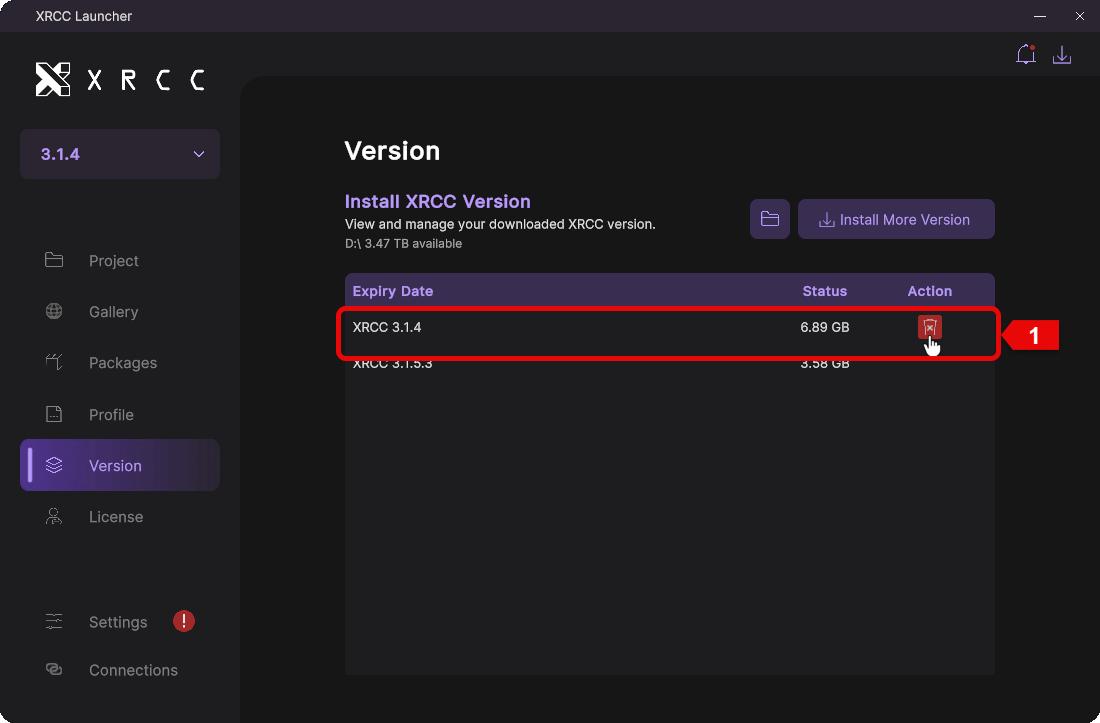
When you hover over an installed XRCC version, a delete button will appear. Click the button to remove the unwanted version from your system.